Run 3 Unblocked — Play Free Online
More Runners & Driving games






Run 3 unblocked: play Run 3 online free right here in your browser — no download, no sign-up, works on a school Chromebook.
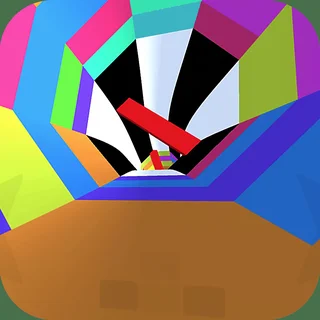
Run 3 is a classic three-dimensional platforming runner set within vast, hollow architectural tunnels floating through deep space. Unlike traditional obstacle runners where you stay locked onto a flat track, this game invites you to run across every surface of a cylindrical tunnel. Stepping onto a side wall smoothly rotates the entire world, turning that vertical wall into your new floor and opening up completely fresh pathways over hazardous drop-offs.
Every level presents a distinct spatial puzzle where you must balance forward momentum with quick directional reads. Gaps in the floor widen, platforms detach, and crumbling tiles disintegrate the moment your feet make contact. For players visiting Super Smash Flash who enjoy high-speed platforming, reactive movement, and mastering stage geography, navigating these endless cosmic corridors offers a deeply rewarding test of agility.
How to play
Guiding your character through the tunnels requires only a few inputs, but precision timing makes all the difference during high-speed segments:
- Steering: Press the Left and Right Arrow keys or the A and D keys to slide across the tunnel surface. Moving all the way into a wall rotates the camera and shifts gravitational pull to that surface.
- Jumping: Press the Up Arrow, W, or Spacebar to jump over empty space and broken platforms. Holding the jump key yields a higher, longer leap, while a light tap produces a short hop for tight footing.
- Mobile inputs: On touchscreen devices, swipe left or right across the display to steer and tap the screen to jump.
The primary adventure takes place across the Galaxy Map in Explore Mode, where completing individual tunnels unlocks branching routes, special cutscenes, and new playable alien characters with unique physical traits. If you prefer an endless reflex challenge, Infinite Mode lets you run as far as possible through progressively harder tunnel sequences to chase high scores.
Tips for navigating tricky tunnels
- Rotate before the gap arrives: When a wide abyss appears on your current lane, steer onto an adjacent wall early rather than attempting a risky jump across the void.
- Modulate your jump height: Holding the jump button for maximum height can send you floating over narrow landing strips. Use quick taps whenever navigating dense series of broken tiles.
- Keep moving across crumbling tiles: Light gray tiles shatter shortly after you step on them. Never hesitate or double-back on weakened floors; leap cleanly toward solid ground.
- Experiment with unlocked characters: Different runners offer varied physics, including higher jumps, faster ground speed, or improved air control that can make stubborn levels much easier.
More fast-paced games on Super Smash Flash
If you enjoy the reflex-driven platforming of Run 3, explore other action-focused titles across the catalogue. Gun Mayhem 2 challenges your stage recovery and jumping precision during chaotic arena battles, while House of Hazards tests your timing against unpredictable domestic obstacles. Players looking for tight physical showdowns can also jump into Get On Top to test balance and leverage.
Run 3 runs directly inside your web browser on desktop computers, laptops, tablets, and phones, letting you jump into a quick cosmic run whenever you want without downloading extra software.
Questions about Run 3
Is Run 3 unblocked at school?
Run 3 runs in an ordinary browser tab from supersmashflash.org, with nothing to download or install, so it plays on most school Chromebooks and work computers. If a network filter blocks the site, only that network's administrator can change it.
How do you rotate gravity in Run 3?
You rotate gravity by steering into the left or right side walls of the tunnel. The entire stage pivots so that wall becomes your new floor.
What are the controls for playing Run 3?
Use the Left and Right Arrow keys or A and D to steer, and press the Up Arrow, W, or Spacebar to jump. On touchscreen devices, tap and swipe to steer and leap.
Does Run 3 save your level progress?
Yes, Run 3 saves your unlocked galaxy map stages, collected power cells, and character progress locally in your browser cache between sessions.
What is the difference between Explore Mode and Infinite Mode?
Explore Mode lets you traverse the branching galaxy map, discover cutscenes, and unlock new characters, while Infinite Mode tests how far you can run without falling.